
A tour of FrontOffice: the district view of every store
The district dashboard, screen by screen: the cross-school roll-up, per-school drill-down, payment splits, tax reporting, exports, and the data boundary built for student privacy.
 The RallyOrder Team · Sep 3, 2026 · 5 min read
 In the district design post we walked through how RallyOrder fits district rules: every school its own merchant, sales settling to school-controlled accounts, every school’s operation standing alone. That design raises the same question in every district meeting: if the schools stand alone, how does the district office see the whole program?
FrontOffice is the answer. It’s the district’s own view of RallyOrder: every school, every store, one screen, built for the office that answers for all of them. Here’s the tour. (FrontOffice opens for early access in the fall 2026 semester; this walkthrough is the product as it ships to the first district cohort.)
The overview: the whole district on one screen
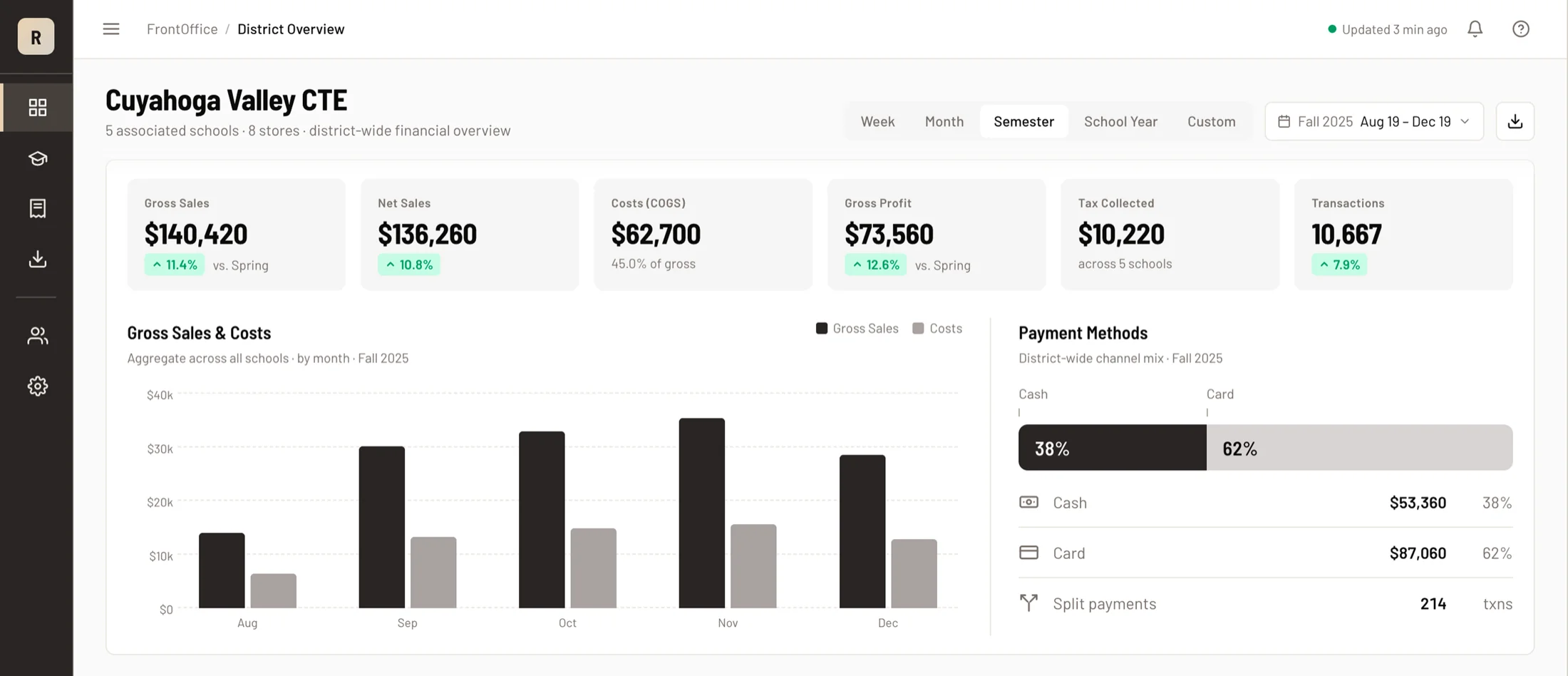
The first screen totals the program: gross and net sales, cost of goods, gross profit, tax collected, and transaction count, rolled up across every school in the district. Trend charts run underneath, so the numbers arrive with their shape.
The period selector is sized for a district office: Week, Month, Semester, School Year, or a custom range. A district doesn’t watch the lunch rush; it closes months and answers for years. The views match the job.
Every school, its own card
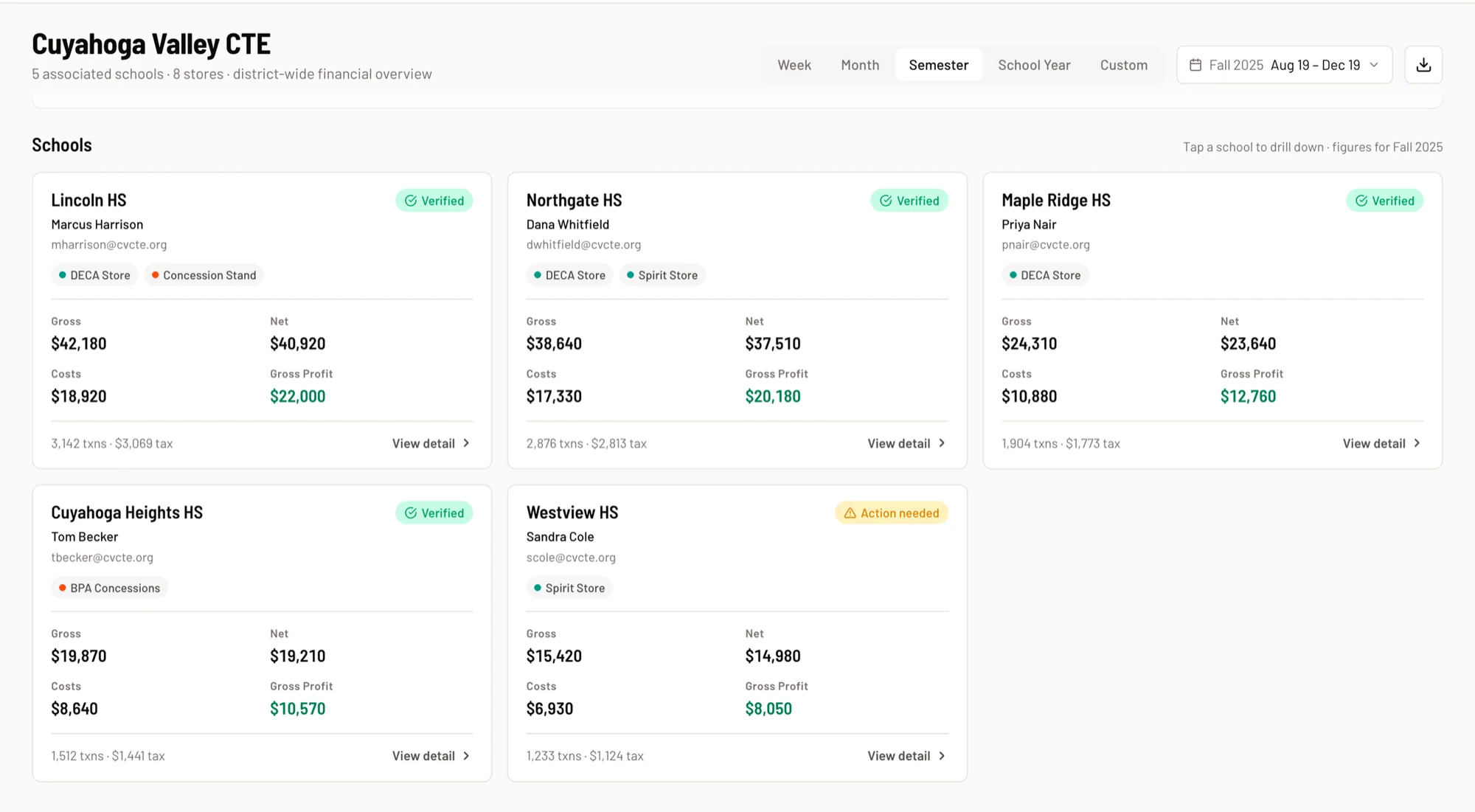
Below the roll-up, each school gets a card: its financials, its trend, its advisor of record, and its EIN, in one place. The cards read side by side, so the comparison your office actually makes (how does each program run against the others?) is the default view.
Drill into any school and you get the same treatment one level down: that school’s numbers, that school’s trends, for any period. The comparison view is how you spot the school that needs a conversation while it’s still a conversation.
The money view: split by how it was paid
FrontOffice breaks revenue down by payment method (cash, card, and split payments) at the district level and per school. Your finance office sees at a glance how much of the program runs on card rails and how much cash is moving through drawers, which is exactly the shape an internal-controls conversation needs.
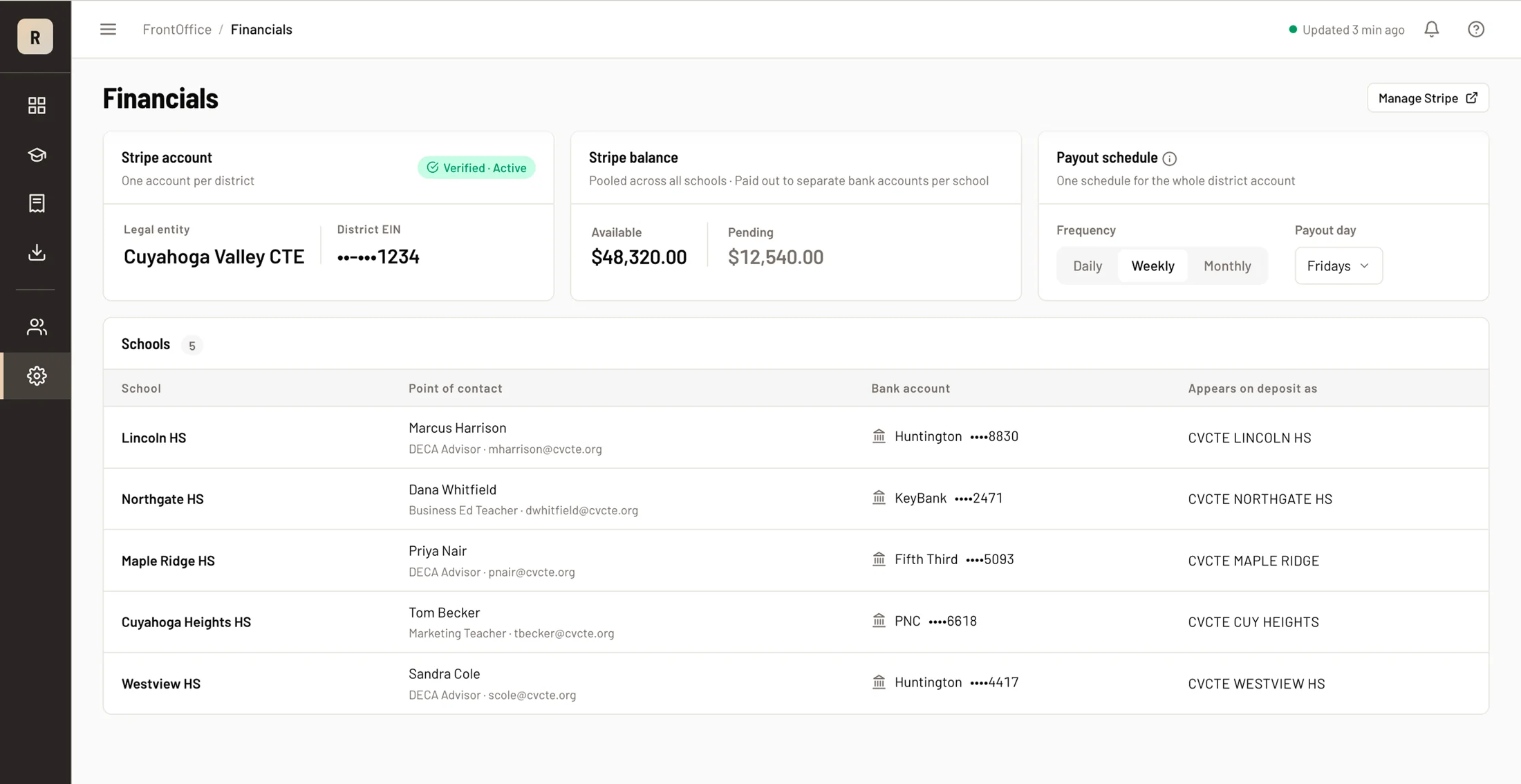
And the design from the district post holds here: the roll-up is visibility, never custody. Each school remains its own merchant with its own account, and sales settle to that school’s district-designated bank account. FrontOffice watches the money. It never holds it.
Tax, ready for the finance office
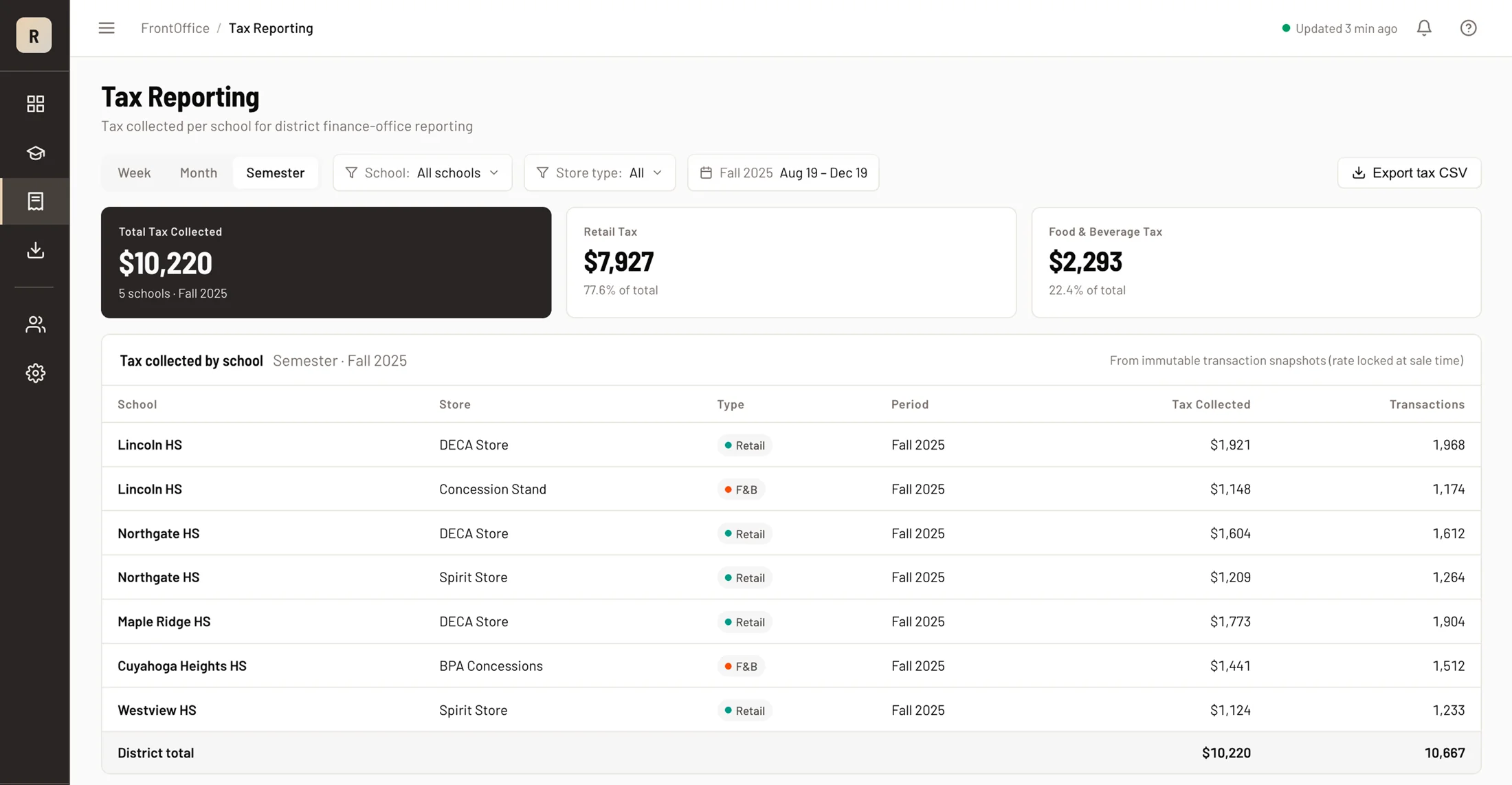
Sales tax gets its own view: per school, per period, filterable by both. It draws the same tax figures as the overview, so the tax report and the dashboard always reconcile; nobody spends a Friday explaining why two screens disagree.
Take it with you
Every view exports: CSV or Excel, for the whole district, a single school, or any subset. The monthly board packet becomes a filter and two clicks, in the tools your office already uses.
The boundary: money, never students
Here’s the part we designed before we designed anything else. FrontOffice’s data surface carries financial fields only. Sales, costs, tax, payment methods, transaction counts. It does not carry student names, student logins, rosters, products, inventory, or line-item purchase detail, and that’s enforced in the data layer itself, in what the district endpoints are able to return, rather than by a policy promise.
The result for your review process: the district finance conversation and the student-privacy conversation stay cleanly separated, because the district surface was built without the data that triggers the second one.
One login, the roles you expect
District access is a role with district, school, and store permissions your organization controls. A CTE director who also advises a store carries one login for both jobs, with each surface showing what that hat is entitled to see.
FrontOffice opens for early access in the fall 2026 semester. Start with the district design post if you haven’t read it, then book the district demo and we’ll walk your finance office through FrontOffice with your own district’s shape on screen.